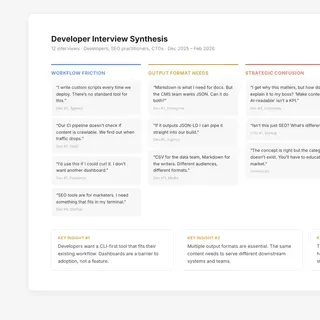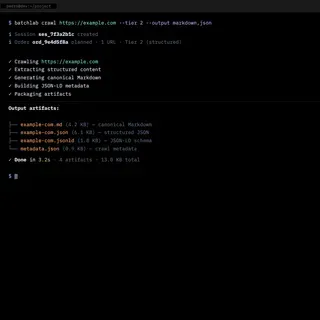

I led product strategy and research for an AI content platform, and the research reversed the direction we had already built toward. This is a case study in discovery that changes a decision rather than confirming one.
The SEO industry is being transformed by AI, and nobody has agreed on the new rules yet. I co-founded BatchLab to figure out what developers and organizations actually need to control how their content is represented across AI systems, search engines, and research agents. The answer did not come from one prototype or one insight. It came from weeks of research, failed proof-of-concepts, continuous interviews, and an uncomfortable realization: the product I needed to build could not be prototyped in any existing tool. So I built it — from first principles, one iteration at a time.
Situation
Content visibility is fragmenting across AI systems and search engines, but the tools developers need to manage it don't exist. The category had no name.
Role
Product and design lead, co-founder. Owned product strategy, continuous discovery (28 competitors, 12+ developer interviews), and every design decision from framing to shipped interface.
Key decision
Killed the dashboard we had already prototyped and designed for terminals and CI/CD pipelines instead, because the interviews showed the audience does not use GUIs for infrastructure work.
Outcome
Shipped platform with 15 processing workflows, each traceable to a specific interview. Market thesis confirmed weeks later when Cloudflare launched a near-identical endpoint.
TL;DR
For twenty years, “content visibility” meant ranking in search results. That model is breaking — AI systems extract and repackage your content without a visit. The defensive instinct (block crawlers, add paywalls) doesn’t scale when the organizations with the most leverage are the ones that stayed open.
I co-founded BatchLab to answer a different question: can you make AI systems consume your content on your terms? The answer didn’t come from one prototype. It came from 28 competitors mapped, 12+ developer interviews, failed proof-of-concepts, and an uncomfortable realization: the product I needed to build couldn’t be prototyped in any existing tool. So I built it from first principles.
Context
I started BatchLab with Monica Chacin (business operations and SEO strategy) and Adrian Duran (positioning and domain expertise). The three of us kept arriving at the same question from different angles: if you cannot stop AI systems from consuming your content, can you at least make sure they consume it on your terms? The project was accepted into the Tetuan Valley Startup School, which provided structured business validation alongside the technical development.
The premise was strategically sound but ahead of the market. The tools did not exist. The category did not have a name. And the people who needed it most — developers responsible for content pipelines and deployment — were not being served by the existing SEO/SEM ecosystem, which was built for marketers who work in graphical interfaces.
I mapped 28 competitors across the space. None combined batch processing, structured output generation, and AI-readiness into a single developer workflow. The closest competitors sold individual conversions or dashboards. Nobody was building a pipeline that a developer could drop into CI/CD and forget about.
| Primary interface | Batch pipelines | AI-ready output | CI/CD native | |
|---|---|---|---|---|
| SEO platforms (Ahrefs, Semrush) | Dashboard | No | No | No |
| Site crawlers (Screaming Frog) | Desktop app | Single-step | No | No |
| File conversion APIs (CloudConvert, FreeConvert) | Web + API | Single-step | No | Manual |
| Image optimization (ShortPixel, Cloudinary) | Plugin / CDN | Single-step | No | Partial |
| AI content tools (Jasper, QuillBot) | Web app | No | No | No |
| BatchLab | CLI, REST API, MCP | Multi-step DAG | llms.txt, JSON-LD, Markdown | GitHub Actions, Netlify Plugin |
My Role & Team
I co-founded BatchLab and led product, design, and engineering.
- My scope: product strategy, continuous user and market research (developers, investors, domain experts), prototyping and iterative development, API and CLI design, and the marketing site.
- Decision ownership: I owned all product and technical decisions — what to build, for whom, in what order, and when to throw something away and start over.
- Collaborators: Monica Chacin (business operations, sales, partnerships, accelerator program) and Adrian Duran (SEO/SEM and positioning domain expertise, user interview co-facilitation).
Constraints
- No category, no playbook: The problem sat between SEO/SEM, content operations, and AI strategy. No established tool category addressed it. User interviews revealed interest but no shared vocabulary for what people needed. Even describing what the product did was a research problem.
- Developer audience, no GUI: The primary users work in terminals, CI/CD pipelines, and API integrations. The UX challenge was not visual design — it was workflow design, API ergonomics, error messages, and how naturally the tool fits into an existing development workflow.
- Solo engineer on a three-person team: I was the only developer. Monica handled business operations and Adrian contributed domain expertise. Every technical decision had to balance ambition with what one person could ship, test, and debug.
- Co-founder strategic misalignment: My co-founders saw the product as an optimization and copywriting layer. I saw it as a strategic control layer for content visibility. This tension shaped every scope decision and ultimately caused the pause.
- Ahead of the market: Developers who understood the potential were excited. But “your content needs to be AI-readable” is a harder sell than “your content needs to rank.” The market had not caught up to the problem.
Approach
I did not start with a technical architecture. I started with a question: what does this product actually do, and for whom? The answer took weeks of research, failed experiments, and constant iteration to find.
Research and failed starts
I ran three tracks simultaneously: user interviews with developers and content strategists, competitive analysis across the space, and market research into how AI was reshaping search behavior. Each track reshaped what we thought the product should be.
The market data confirmed the urgency: 60% of searches completing without a click, AI Overviews causing 34.5% CTR drops for top-ranking pages. We validated demand through keyword research, ran the positioning through SWOT and Porter’s Five Forces at Tetuan Valley, and stress-tested the thesis with investors. The user insight was equally clear: developers had no good tooling. SEO tools were built for marketers. Developers who needed crawlable, structured, AI-readable content were writing custom scripts or stitching together fragmented APIs.
I built the first prototypes fast using AI prototyping tools — Lovable, v0, Base44, Vercel. Useful for testing visual concepts and conversation starters with potential users. But they hit a ceiling: the core product was not a visual experience. The user I was designing for runs commands in a terminal, not a web app. The proof-of-concepts taught me what the product was not: it was not a dashboard.
The inflection point: from prototype to product
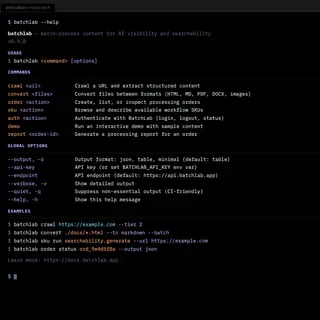
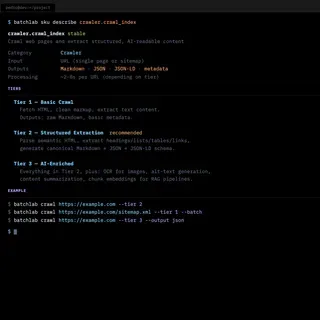
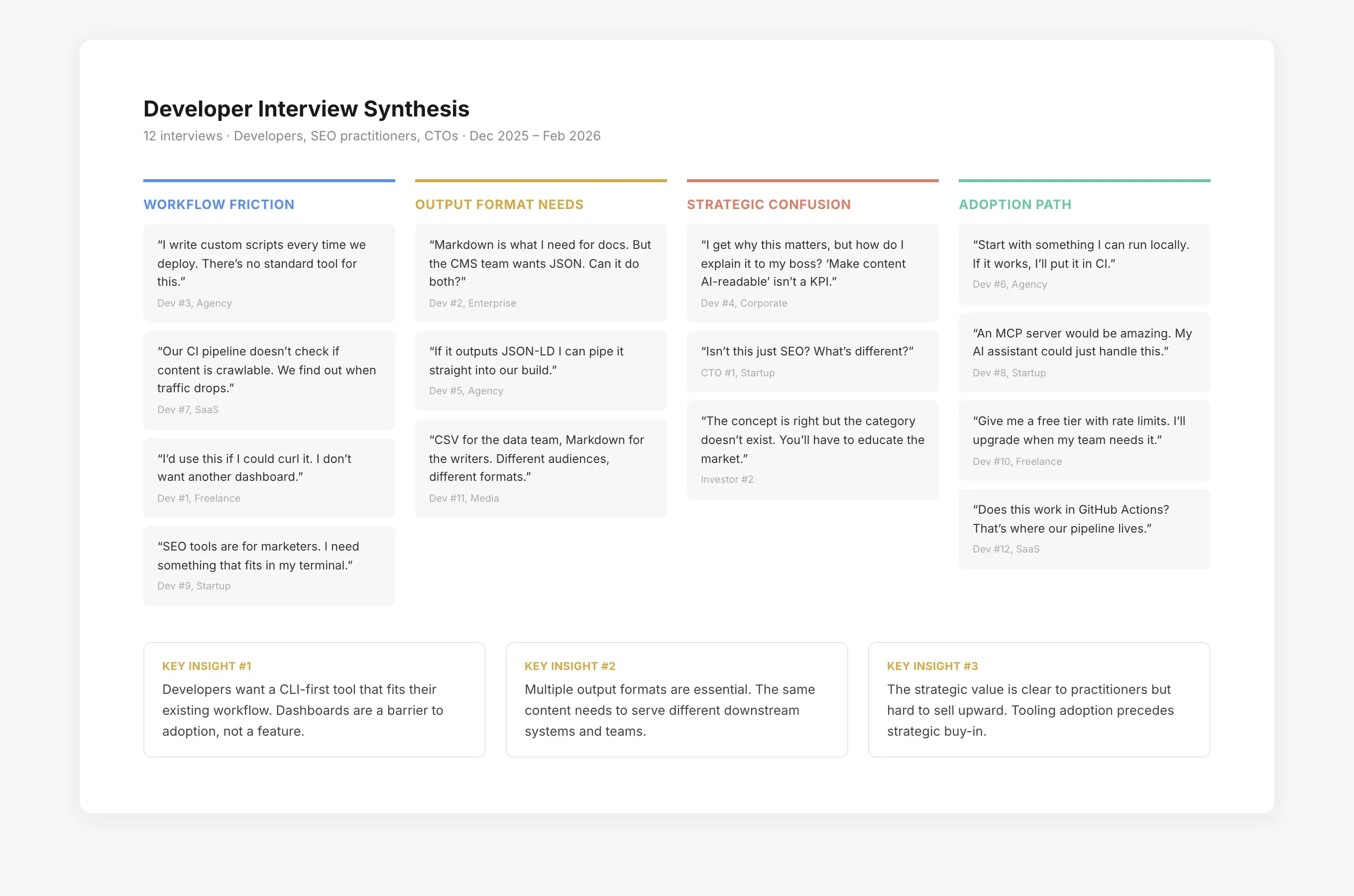
The realization came from the interviews. Developers kept saying variations of the same thing: “I would use this if I could curl it” and “Does this work in my CI pipeline?” They did not want a new app to open. They wanted a tool that fit into workflows they already had.
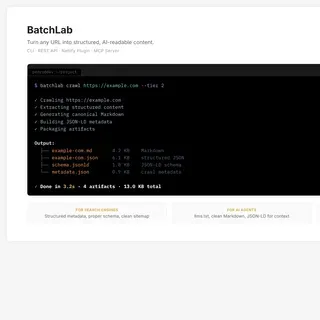
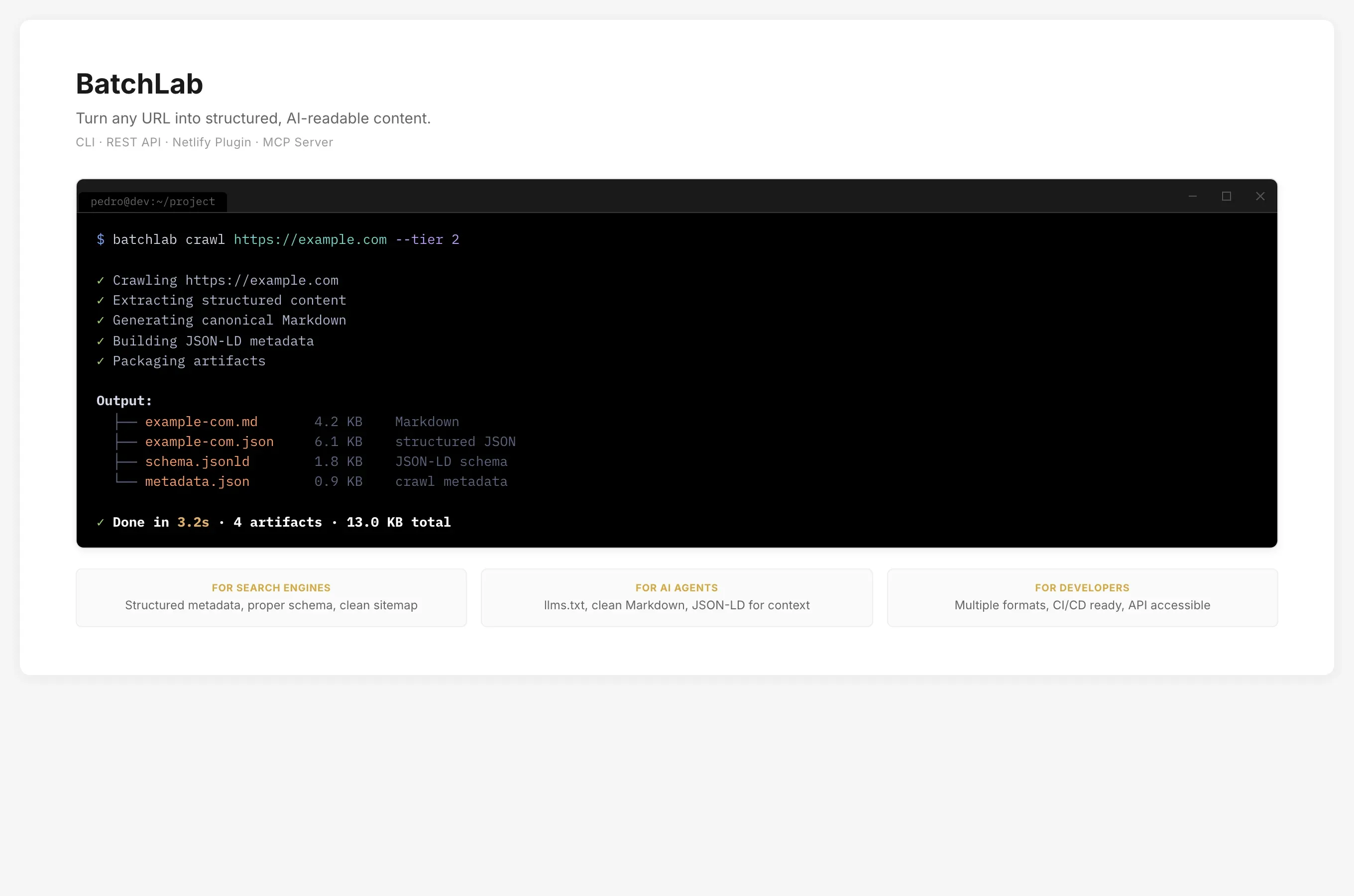
That changed the entire product direction. I stopped prototyping in visual tools and started building what the users actually asked for: a command-line interface, a REST API, and the processing engine behind them. I used AI as a partner across the entire workflow — first ChatGPT Codex, then Claude Code (CLI). Not just for development: I ran accessibility audits, SEO/SEM analysis, and information architecture evaluations through AI tools to rapidly test multiple layout possibilities and assess the feasibility of different design directions before committing engineering effort. The judgment on what to build stayed human; the speed of exploration multiplied.
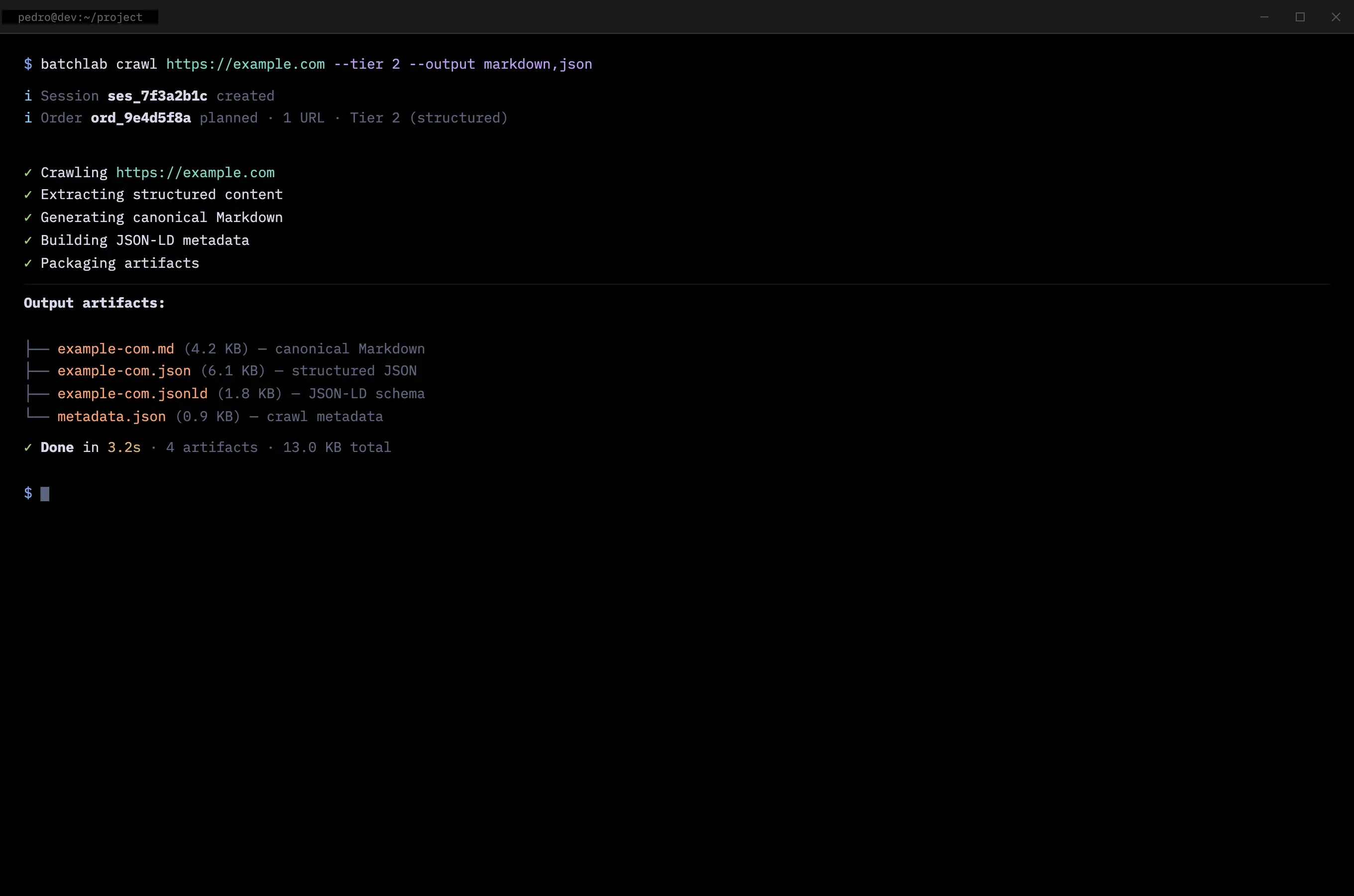
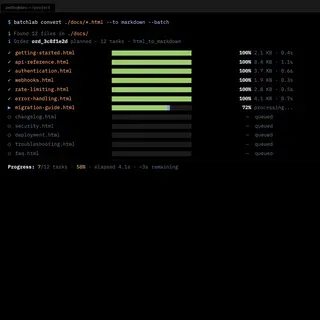
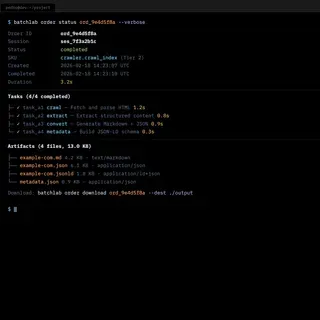
Each iteration was driven by the next interview round. I would ship something, show it to developers, listen to what confused them, and rebuild. The CLI went through multiple versions. The error messages were rewritten after watching developers stare at unhelpful output. The progress indicators were added after observing developers unable to tell whether a long-running batch job was working or stuck.
Continuous discovery
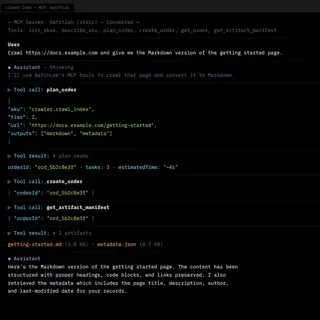
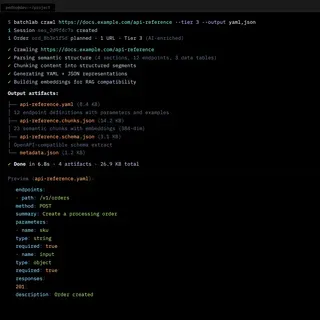
The interviews were never about validating a fixed idea — they were about discovering what the product needed to become. Each round shifted something: early interviews revealed developers wanted a simple input-output model (URL in, structured content out). Mid-stage interviews surfaced format diversity — Markdown, JSON, YAML, CSV — depending on downstream pipelines. Late-stage interviews revealed interest in an MCP server so AI agents could use BatchLab directly.
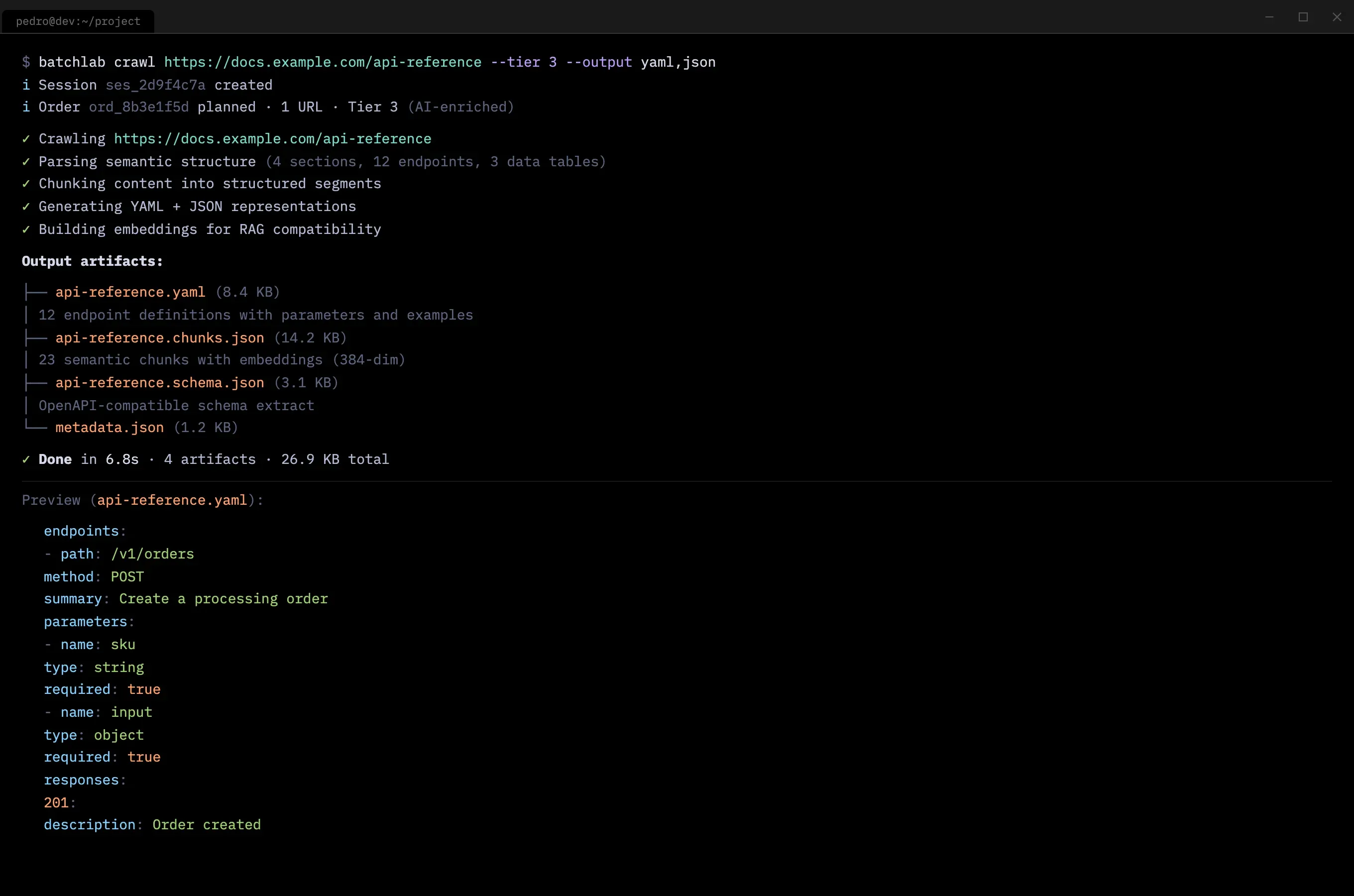
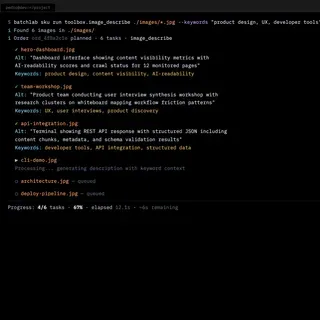
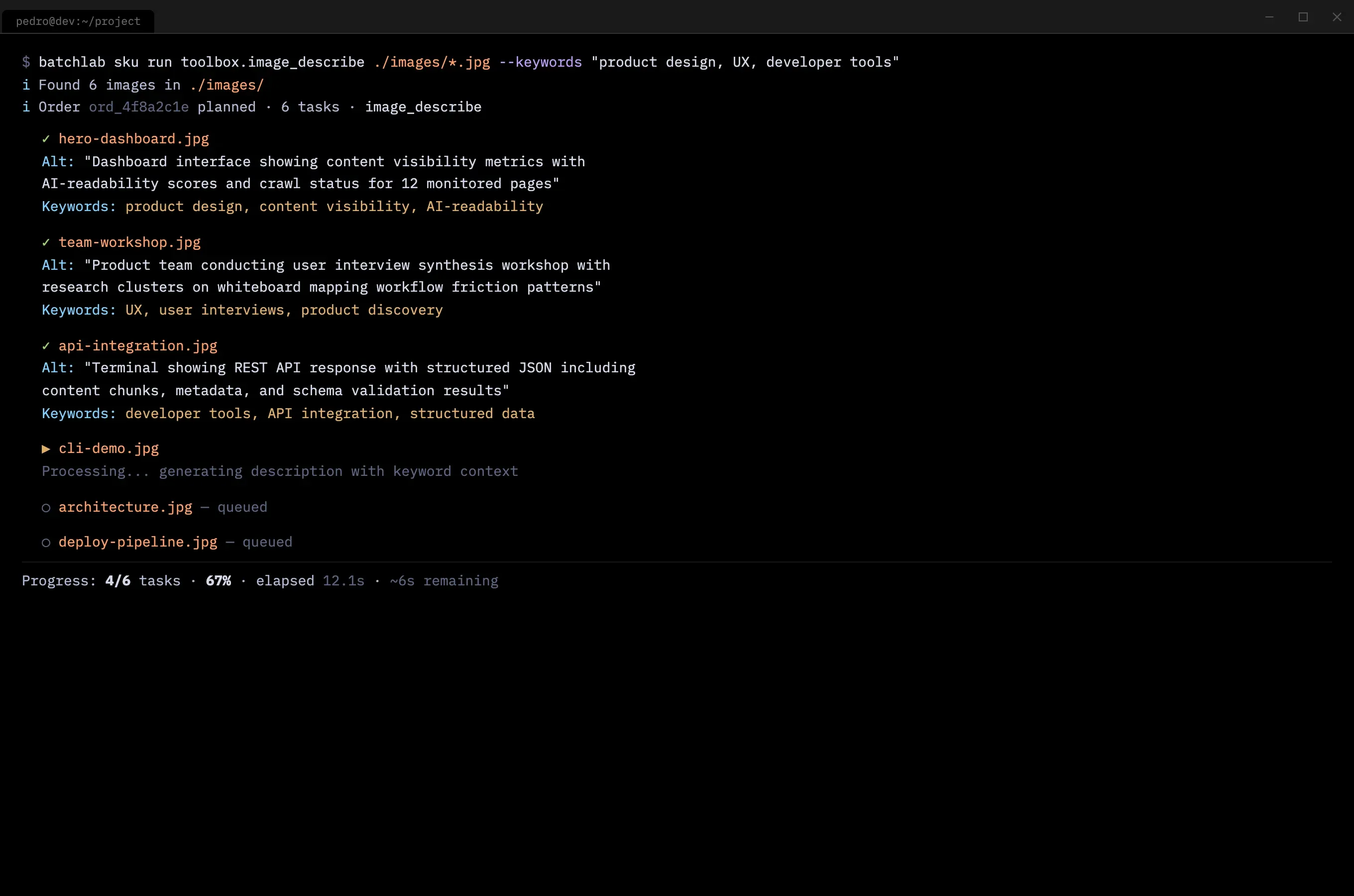
Unexpected use cases surfaced from listening: one developer needed automated alt text generation for 2,000 product images. That conversation led to the image description workflow — a feature that emerged directly from research, not a roadmap.
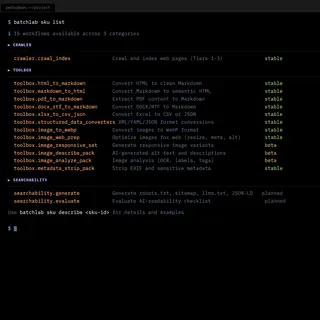
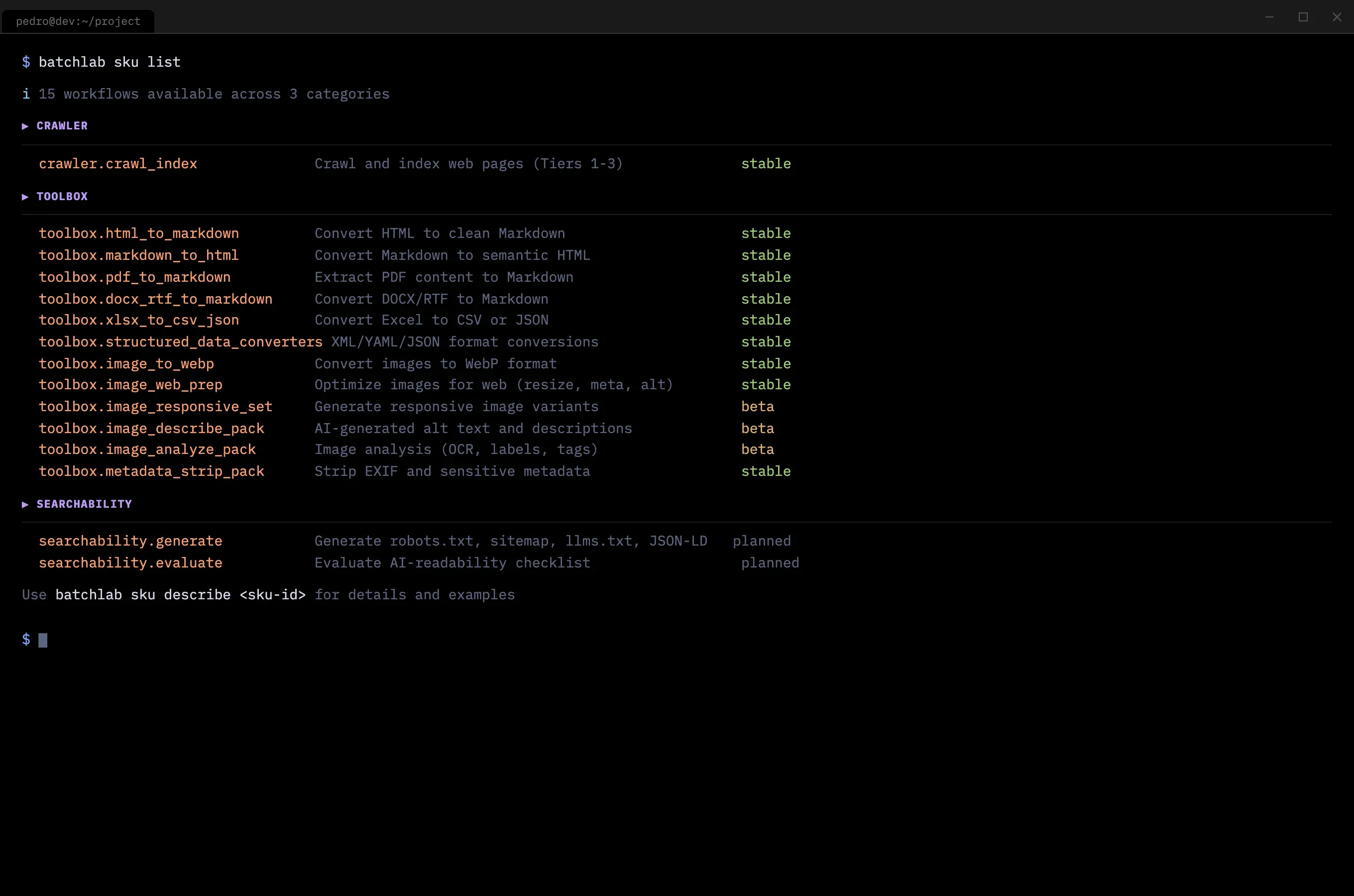
By the time the catalog stabilized, it included 15 processing workflows across three categories — each traceable to a specific interview or observation.
Process at a glance
| Phase | What it taught me | Output (decision tool) |
|---|---|---|
| Discovery research | What developers actually needed vs. what SEO/SEM tools offered | Interview insights, opportunity framing, initial scope |
| Market + competitive | Where the gaps were across 28 competitors and how AI was reshaping search | Competitor map, positioning, business model canvas |
| Proof-of-concepts | That the product was not a dashboard or visual experience | Failed prototypes that clarified the real UX challenge |
| CLI + API iteration | How developers want to interact with content tools | CLI, REST API, processing engine, error handling patterns |
| Interview-driven SKUs | Which processing workflows had real demand | Crawler, converters, image processing, searchability |
| Multi-surface launch | That adoption comes through the surface that fits the user | CLI, WebApp, MCP server, marketing site |
          graph TD
  A["Developer needs AI-readable content"] --> B["Tries CLI locally"]
  B --> C["batchlab crawl URL --tier 2"]
  C --> D{"Output useful?"}
  D -- Yes --> E["Integrates into pipeline"]
  D -- "Adjust tier or SKU" --> C
  E --> F["GitHub Actions workflow"]
  E --> G["Netlify Build Plugin"]
  E --> H["REST API integration"]
  E --> I["MCP Server for AI agents"]
          graph TB
  A["CLI"] & B["REST API"] & C["MCP Server"] & D["Netlify Plugin"]
  A & B & C & D --> E["Shared processing engine — 15 workflows"]
  E --> F["Structured output: Markdown, JSON, YAML, images, llms.txt, sitemap, JSON-LD"]
Key Decisions & Trade-offs
-
Decision: Move from AI prototyping tools to building from first principles.
- Options considered: Keep iterating in prototyping tools (faster visual output); build a custom backend with a polished frontend; build the CLI and API first, add a web interface later.
- Criteria used: What developers actually asked for in interviews, and the observation that no prototyping tool could simulate a terminal workflow.
- Trade-off accepted: Slower time to first demo. Weeks of engineering instead of hours of prototyping.
- Resulting implication: The product matched how developers actually work. When I demoed a
curlcommand that returned structured Markdown, developers got it immediately — faster than any dashboard demo.
-
Decision: Design for terminals and CI/CD pipelines, not for browsers.
- Options considered: Web-first MVP for visual demos and investor conversations; CLI-first for developer workflow integration; simultaneous web and CLI launch.
- Criteria used: Developer workflow compatibility and the insight from interviews that target users spend more time in terminals than browsers.
- Trade-off accepted: Harder to show investors. A terminal session does not photograph as well as a dashboard. This complicated fundraising conversations.
- Resulting implication: Developers who tested the CLI integrated it into their workflows immediately. The web app, built later, became a monitoring surface rather than the primary interaction — which matched how developers actually work.
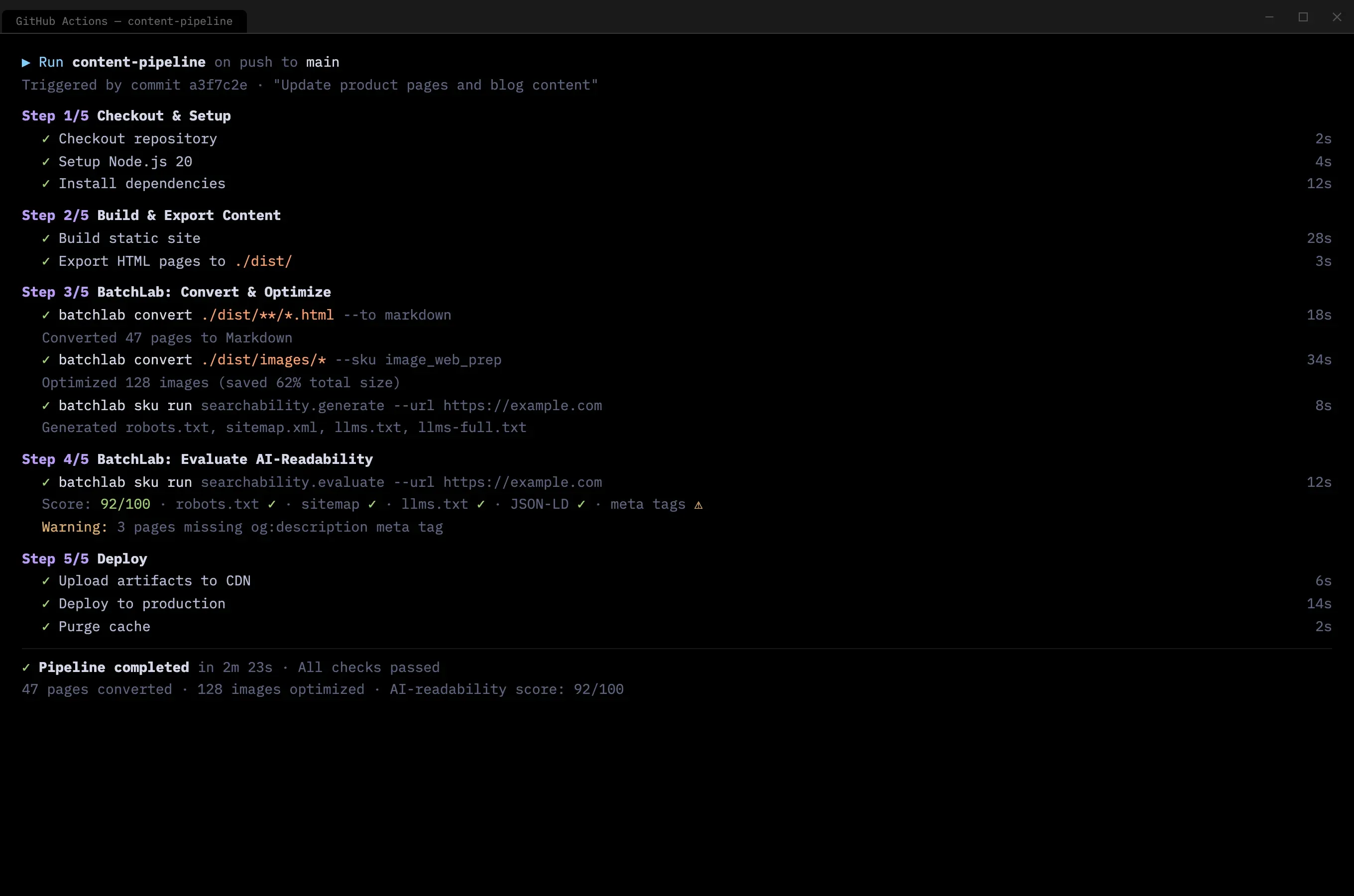
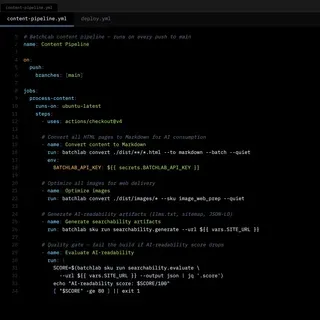
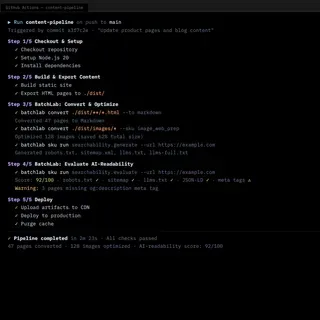
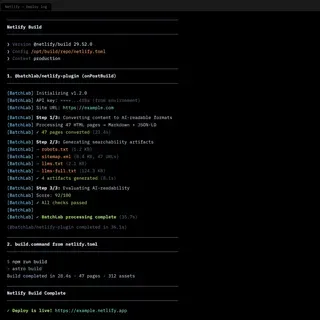
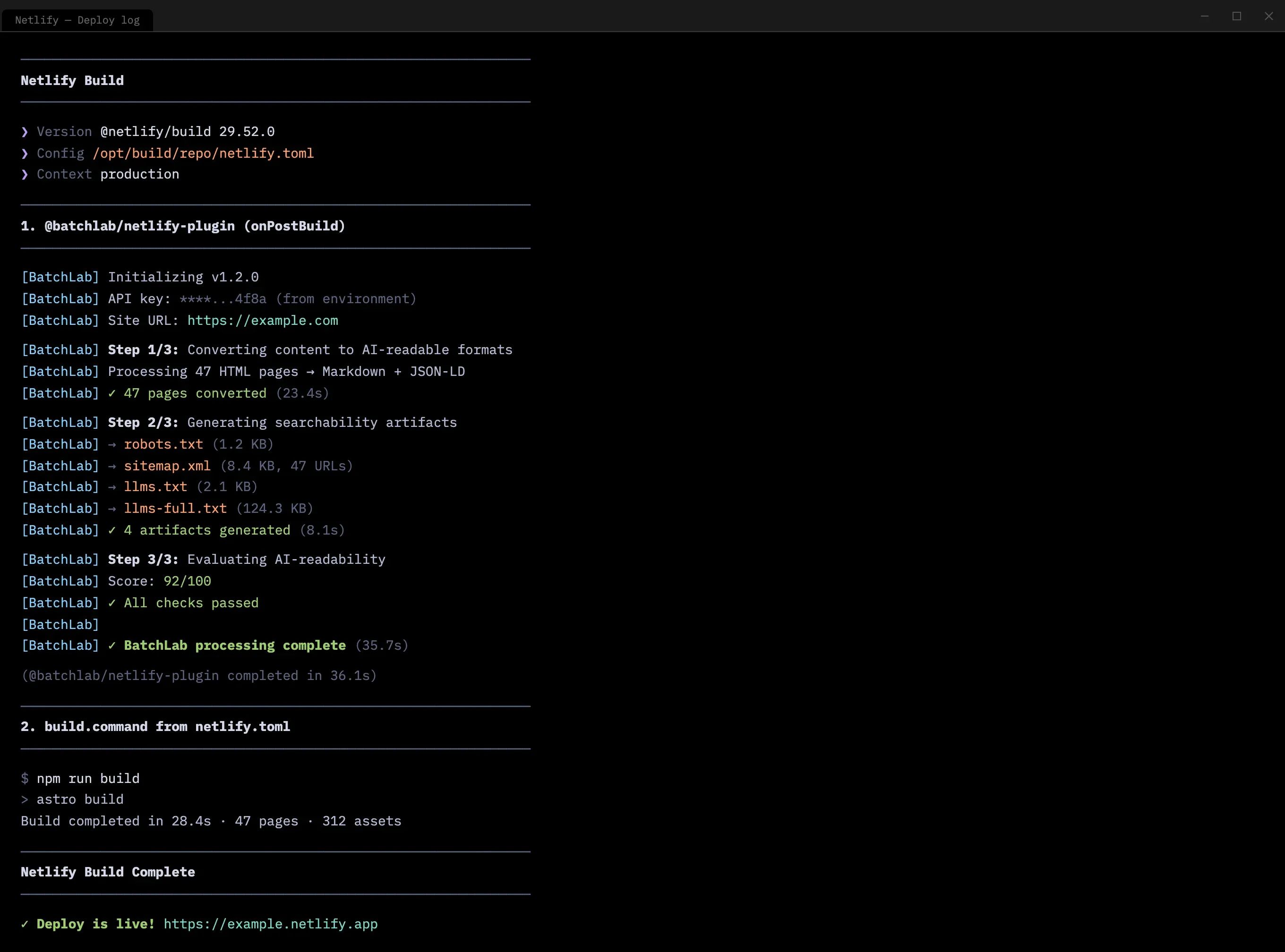
The natural extension was deployment pipeline integration. BatchLab was designed to run as a Netlify Build Plugin — processing content, generating searchability artifacts, and evaluating AI-readability as part of every deploy, with no manual intervention after initial setup.
- Decision: Position the product around strategic content control, not just SEO/SEM optimization.
- Options considered: Pure optimization layer (help content rank better); strategic control layer (help organizations own their content representation across AI systems); both, with optimization as the entry point.
- Criteria used: Long-term differentiation, the strategic insight that platforms gain influence by being open, and the observation that the optimization market was already crowded.
- Trade-off accepted: Some potential clients and co-founders saw this as giving content away. The strategic argument required explanation that the simpler optimization positioning did not. This ultimately caused the co-founder split.
- Resulting implication: The market is validating this direction. Cloudflare launched a crawl endpoint that does exactly what BatchLab’s crawler did — send a URL, receive structured content. Parallel AI emerged with a platform for making websites AI-readable and citable. The llms.txt standard gained adoption across major publishers. The disagreement was about timing, not direction.
Impact
- What the product became: A platform with 15 processing workflows across three categories — crawling, content conversion, and searchability — accessible through CLI, REST API, web dashboard, and MCP server. Full security stack: OIDC authentication, policy-based authorization, and tenant isolation.
- What happened next: Paused after the co-founder split on product direction. The core platform was working locally and in CI, but had not reached cloud deployment. The strategic thesis was independently confirmed weeks later when Cloudflare launched a near-identical crawl endpoint (send a URL, receive structured content). Parallel AI emerged with a similar platform for making websites AI-readable and citable.
- What the research proved:
- Developer interviews confirmed the CLI-first approach — developers who tested it integrated into their pipelines immediately
- Observing developers use the product reshaped error handling, progress feedback, and output formatting across multiple iterations
- Competitive research identified the positioning gap: nobody was building infrastructure-grade pipelines for AI-readable content
- Investor conversations confirmed interest in the tooling layer, even when the strategic positioning required market education
What I Learned / What I’d Do Next
The hardest product problem was not building the solution — it was aligning the team on which problem to solve. BatchLab could support either the optimization layer my co-founders wanted or the strategic control layer I believed in. The technology was not the constraint. The shared conviction was. If I could rewind, I would have invested more time in alignment before building — not to reach consensus, but to surface the disagreement early enough to resolve it or part ways before weeks of engineering.
Designing for developers requires the same empathy as designing for any user, but the medium is completely different. The “user experience” is not screens. It is error messages, response times, documentation clarity, API consistency, and how naturally a tool fits into an existing terminal workflow. The skills transfer directly from traditional UX research: observe, listen, identify friction, reduce it. The medium changes. The method does not.
Proof-of-concepts are most valuable when they fail. The Lovable and v0 prototypes that did not work taught me more about the product than the ones that looked good. A prototype that looks right but does not match how users actually work is more dangerous than no prototype at all.
Being ahead of the market is not the same as being wrong. The strategic thesis — make your content easy for AI to consume, because you cannot stop it from trying — is being validated. The timing was the problem, not the idea. Next time, I would separate the tooling from the strategy earlier: ship useful tools first, earn trust, then introduce the strategic argument. Sell the aspirin first. The vitamin comes later.
Project Media & Screenshots